Plesk extension for Cloudflare DNS
Cloudflare Pro for Plesk
Sync Plesk DNS records with Cloudflare using token-scoped access, record comparison, API logs, per-user settings, and background sync jobs.
Overview
Built for Cloudflare DNS operations inside Plesk.
Cloudflare Pro links accessible Plesk domains to matching Cloudflare zones, compares local and remote DNS records, and exposes safe actions for import, export, sync, delete, proxy toggles, and troubleshooting logs.
The extension keeps Cloudflare tokens scoped to the logged-in Plesk user, stores settings in SQLite, and uses queued sync jobs so larger zones can run with visible progress instead of long blocking requests.
Typical workflows
- Push Plesk DNS records into a Cloudflare zone.
- Pull Cloudflare DNS records back into Plesk.
- Compare mismatched records before deciding what to keep.
- Inspect Cloudflare API request and response details while debugging.
Documentation
Operator and developer docs.
The documentation set covers installation, extension architecture, controller/API behavior, and security notes for token handling, logging, and permissions.
Requirements, install commands, local package builds, first run, and troubleshooting logs.
Extension layout, repositories, sync flow, event hooks, storage, and Plesk integration details.
Controller actions, Cloudflare routes, sync jobs, tokens, logs, settings, and record actions.
Token storage, owner scoping, permissions, request logging, uninstall cleanup, and operational notes.
Features
Everything exposed by the extension.
Cloudflare Pro is organized around Domains, record comparison, Tokens, API Logs, Settings, and About. Each area is built for fast scanning and repeated DNS operations from the Plesk panel.
Domain discovery
Finds Cloudflare zones that match accessible Plesk domains and stores linked zone metadata per user.
Record comparison
Shows local-only, Cloudflare-only, mismatched, and synced records with search, pagination, sorting, and bulk selection.
Import and export
Pull Cloudflare DNS records into Plesk or push Plesk DNS records to Cloudflare using queued background jobs.
Single record actions
Select DNS records and run Push, Pull, or Delete only for the records that need attention.
Proxy controls
Toggle Cloudflare proxy state for supported A, AAAA, and CNAME records.
Token storage
Add, validate, edit, and delete Cloudflare API tokens without exposing another user's credentials.
API logs
Search, paginate, view, copy, and remove Cloudflare API request and response logs.
Settings
Control autosync, token validation, API logging, safe delete cleanup, subdomain www companions, and proxy defaults per user.
Autosync
Use Plesk events to push supported DNS changes to Cloudflare when autosync is enabled.
Option reference
Every option available in the UI.
Domains tab
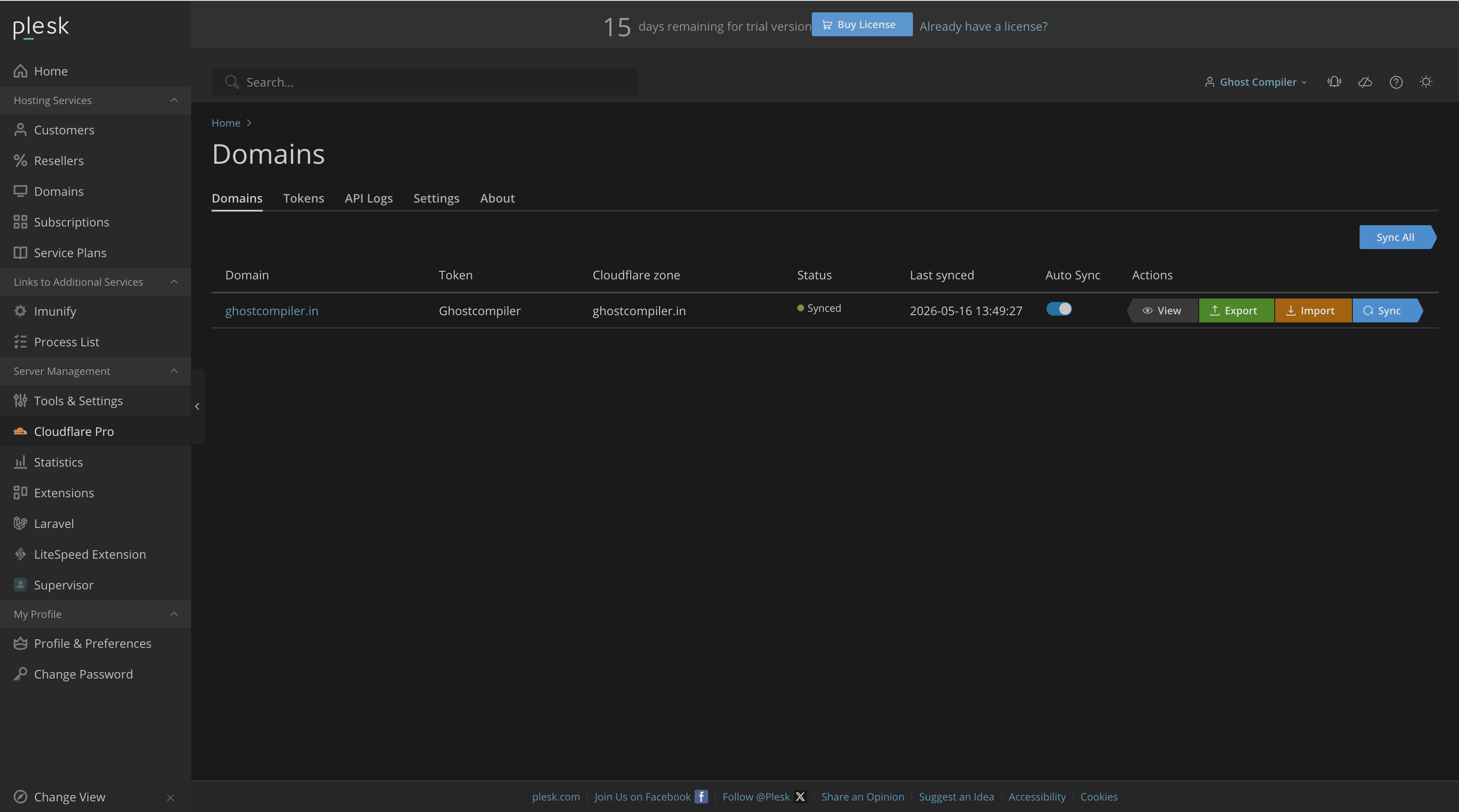
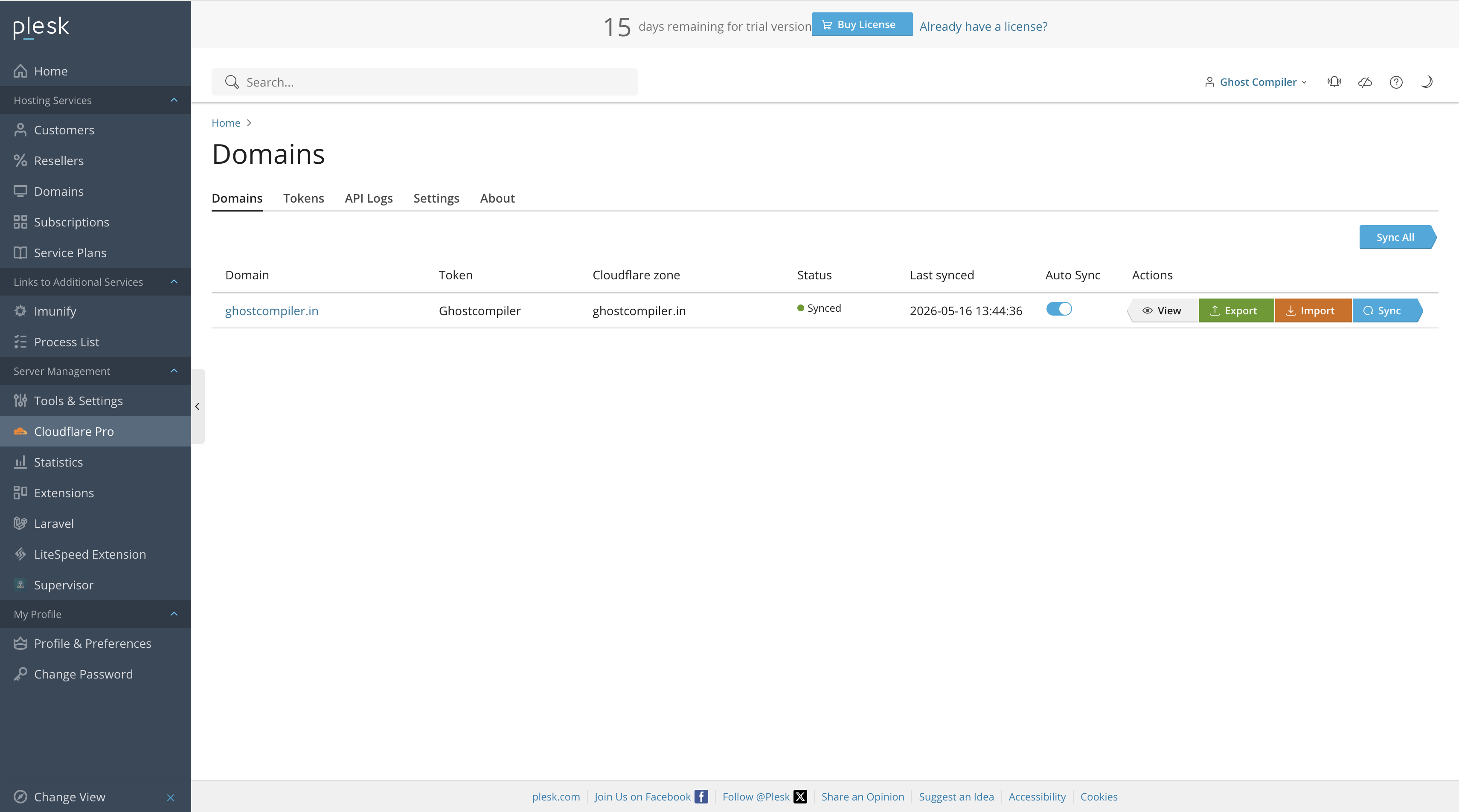
- View: opens the DNS record comparison page.
- Export: pushes local Plesk records to Cloudflare.
- Import: pulls Cloudflare records into Plesk.
- Sync: processes DNS records through a persisted sync job.
- Auto Sync: enables event-based pushing for that linked domain.
Record page
- Back: returns to Domains.
- Import / Export / Sync All: runs bulk domain record operations.
- Push / Pull / Delete: appears after selecting records.
- Search: searches across type, name, status, and values.
- Proxy: changes Cloudflare proxy state where supported.
Tokens tab
- Add Token: opens the credential drawer.
- Validate: calls Cloudflare token verification.
- Edit: updates the token name or token value.
- Delete: removes the token and linked domain rows.
API Logs tab
- Search logs: filters logged Cloudflare requests.
- View: opens request and response details.
- Copy: copies request and response JSON.
- Remove Logs: clears stored logs for the current user.
Settings tab
- Enable Autosync: allows automatic DNS pushes.
- Validate token before sync: verifies token status before sync jobs.
- Log Cloudflare API calls: stores explicit Cloudflare API request logs.
- Create www record for subdomains: creates matching Cloudflare-only www records during subdomain autosync and removes the companion record when that subdomain is deleted.
- Remove records automatically on domain delete: removes concrete deleted child hostnames only; ambiguous apex delete events are skipped to protect the zone.
- Proxy defaults: controls default proxy state for new A, AAAA, and CNAME records.
Supported DNS records
- A, AAAA, CNAME, MX, TXT, PTR, CAA, DS, DNSKEY, TLSA, and SRV.
- TLSA and SRV use Cloudflare structured data fields.
- Cloudflare proxy controls are limited to A, AAAA, and CNAME records.
Screenshots
Light and dark theme screenshots.
Pick a screen, then drag the handle to compare the Plesk light and dark appearances.
Install
Install or build the extension.
Use the rolling latest package for most installations, or build the ZIP locally from the repository.
plesk bin extension --install-url https://github.com/ghostcompiler/cloudflare-pro/releases/download/latest/cloudflare-pro.zipsh packaging/build.sh
plesk bin extension --install cloudflare-pro-1.0.5.zip- Open the affected service plan or subscription in Plesk.
- Enable Cloudflare Pro access where needed.
- Add a Cloudflare API token with Zone Read, DNS Read, and DNS Edit permissions.
- Validate the token, then open Domains to confirm matching zones are linked.
- Use View to compare records and run Import, Export, or Sync All as needed.
Troubleshooting
Useful paths and logs.
Panel logs
tail -n 200 /var/log/plesk/panel.log
tail -n 200 /var/log/sw-cp-server/error_log
tail -n 200 /usr/local/psa/admin/logs/panel.log
Important data
- Module data:
/usr/local/psa/var/modules/cloudflare-pro - SQLite storage:
cloudflare-pro.sqlite - Frontend assets:
htdocs/public/assets - Extension metadata:
meta.xml
API Logs are intended for explicit Cloudflare actions such as validate, sync, push, pull, delete, and proxy updates. Passive page refresh reads are excluded from API log writes.