Plesk extension for PM2 applications
Manage Node.js PM2 apps from Plesk without SSH.
Create, start, stop, reload, deploy, inspect logs, edit ecosystem configs, track metrics, and keep customers safely scoped to their own domains.
Overview
Built for hosted Node.js workloads in Plesk.
Node Manager (PM2) gives Plesk administrators, resellers, and customers a domain-aware interface for PM2 applications. It is aimed at SSR apps, API servers, websocket services, queues, bots, and other long-running Node.js processes.
The extension validates paths against the selected domain, runs PM2 commands with the domain environment where supported, and stores metadata, secrets, metrics, backups, and webhook tokens in the Plesk module data area.
Typical applications
- Laravel Inertia SSR servers.
- Next.js, Nuxt, Remix, Express, Fastify, and custom Node servers.
- Queue consumers, webhook workers, bots, schedulers, and websocket gateways.
- Customer-managed PM2 apps inside a locked subscription root.
Features
Everything exposed by the extension.
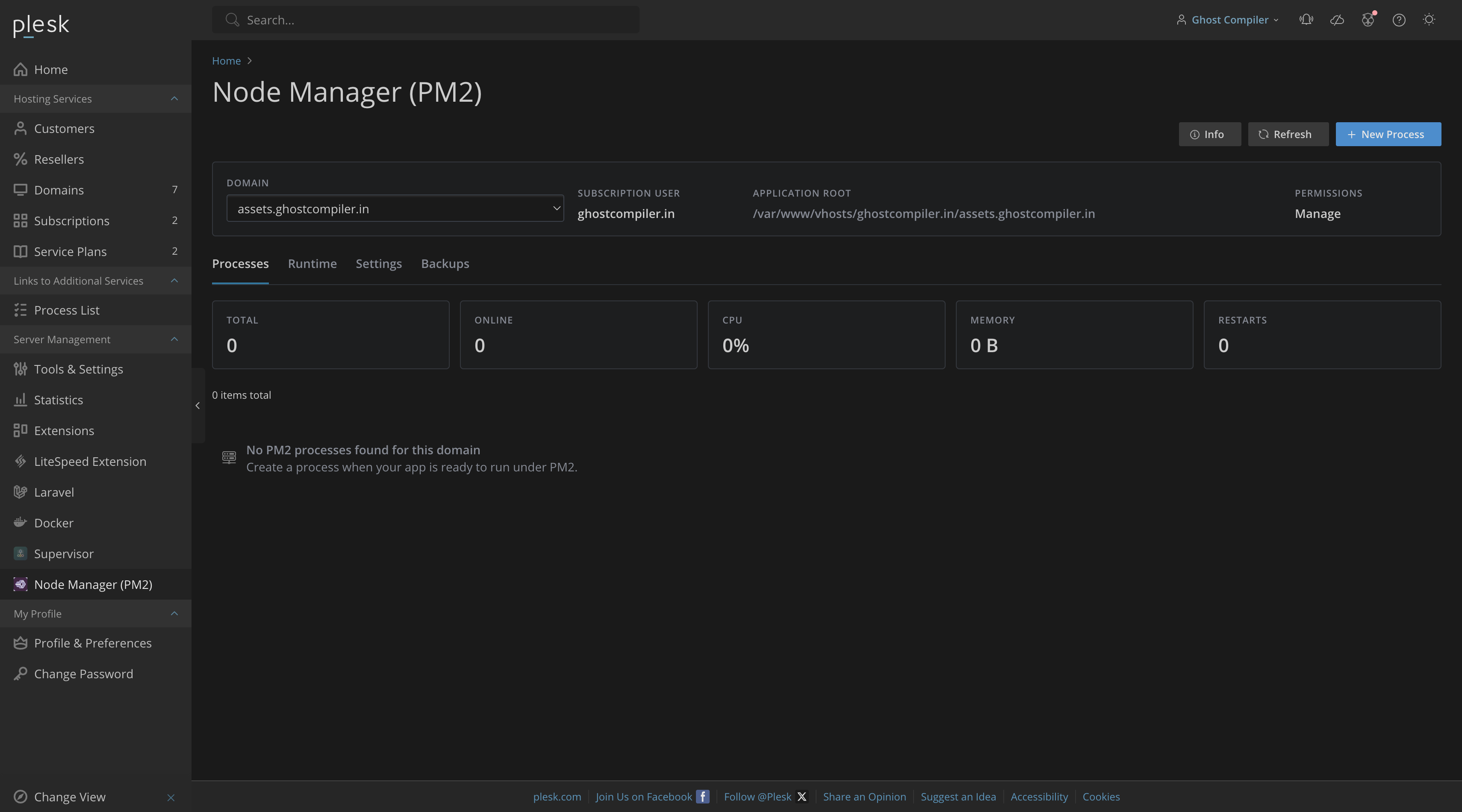
The UI is organized around a domain selector, process list, runtime setup, settings, backups, and process detail drawers. Permissions decide which users can see logs, control processes, or manage application configuration.
Process manager
List PM2 apps per domain, view status, CPU, memory, restarts, instances, script path, working directory, and run control actions.
Create process
Create PM2 apps with script path, working directory, environment name, instances, restart policy, Git metadata, and optional restart limits.
Runtime setup
Detect Node.js, npm, PM2, Git, binary paths, versions, PM2 home, and install or update PM2 when the user has permission.
Logs drawer
View stdout or stderr, refresh live logs, clear logs by truncating files, and download log files.
Environment
Add and delete environment variables, mark values as secret, and keep process environment values stored with the managed app.
Deployment
Pull Git changes, optionally run npm install, install production dependencies only, reload without downtime, and enable tokenized webhooks.
Ecosystem editor
Edit the generated PM2 ecosystem file in a Plesk CodeEditor drawer, save changes, or save and start the ecosystem.
Metrics
Graph CPU and memory usage, show recent samples, and browse metric history with five-row pagination by default.
Backups
Create, list, restore, and delete backups for extension-managed PM2 metadata.
Option reference
Every option available in the UI.
Top actions
- Info: opens extension information, version, creator, repository, paths, permissions, hooks, runtime notes, and support links.
- Refresh: reloads runtime or process data for the selected domain.
- New Process: opens the create process page when runtime is ready and the user can manage apps.
Domain card
- Domain: selects the target subscription/domain when not locked by Plesk context.
- Subscription user: shows the system user PM2 commands run as.
- Application root: base path for relative script and working-directory values.
- Permissions: shows Access, Logs, Control, or Manage capability.
Processes tab
- List row: opens the process drawer.
- Start / Stop: controls stopped or online processes.
- Restart: restarts a PM2 process.
- Reload: performs a PM2 reload where available.
- Scale up / Scale down: changes instance count.
- Delete: removes an extension-managed process.
Create process
- Name: display and PM2 process name.
- Script path: relative or absolute script inside the selected domain root.
- Working directory: process current working directory.
- Environment: PM2 environment name, usually production.
- Instances: process instance count.
- Max restarts: optional restart ceiling.
- Restart delay: optional delay in milliseconds.
- Git repository: optional repository URL for deployment.
- Git branch: branch used by deployment.
- Autorestart if the process exits: PM2 autorestart toggle.
File picker and editor
- Document root: returns to the domain root.
- Up: moves up only while staying inside the domain root.
- Open: opens a directory.
- Select: selects a file or directory for the active field.
- Edit: opens supported text/code files in a Plesk Drawer with CodeEditor.
Runtime tab
- Use detected paths: applies detected Node.js, npm, PM2, Git, and PATH values.
- Install or update PM2: installs or updates PM2 for the selected runtime when permitted.
- Runtime table: shows Node.js, npm, PM2, and Git status, version, and path.
- PM2 home: shows the domain PM2 home directory.
Settings tab
- PM2 binary, Node.js binary, npm binary, and Git binary.
- Extra PATH entries for command execution.
- Polling interval for automatic process refresh.
- Max log bytes for log reads.
- Metrics retention days.
- Deployment timeout.
Backups tab
- Create Backup: saves a metadata backup.
- Restore: restores backed-up PM2 metadata.
- Delete: deletes a backup.
- List: shows file name, size, and creation time.
Logs drawer
- stdout / stderr: chooses the log stream.
- Refresh: reloads current log content.
- Clear: truncates the selected log stream.
- Download: downloads the selected log file.
- Size: shows the current log file size.
Env drawer
- Name: environment variable key.
- Value: environment variable value.
- Secret: stores and masks sensitive values.
- Save: adds or updates the variable.
- Delete: removes a variable from the managed app.
Deploy drawer
- npm install: runs npm install during deployment.
- production dependencies only: installs production dependencies only.
- zero-downtime reload: reloads instead of restarting when possible.
- Deploy Latest: runs the deployment workflow.
- Enable Webhook and Disable Webhook: manage tokenized deployment webhook access.
Ecosystem and metrics
- Ecosystem Save: writes the ecosystem file.
- Save and Start: writes the file and starts it through PM2.
- Metrics chart: visualizes CPU and memory samples.
- Metrics table: shows five records per page by default with pagination.
Access model
Service plan permissions and limits.
Permissions
- Access: allows the extension page for enabled subscriptions.
- View logs: allows stdout/stderr viewing and log download.
- Control processes: allows start, stop, restart, reload, and scale.
- Manage applications: allows create, delete, environment, deployment, ecosystem, and log clear actions.
Limits
Service plans can set the maximum number of PM2 applications. Use a non-zero limit for subscriptions that may create processes. Admin users can manage all enabled domains; resellers and customers stay restricted to domains they can access in Plesk.
Screenshots
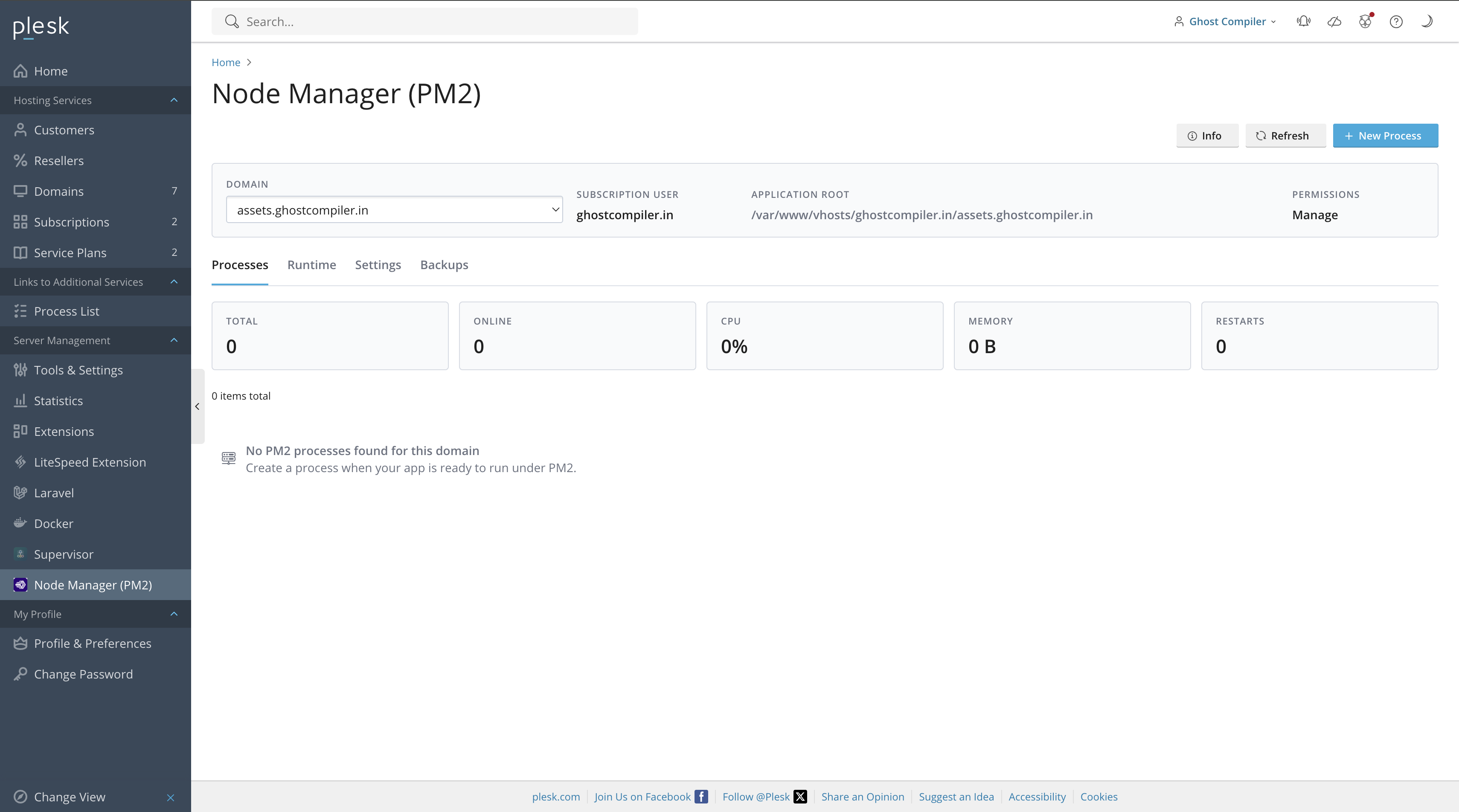
Light and dark theme screenshots.
Pick a screen, then drag the handle to compare the Plesk light and dark appearances.
Install
Install or build the extension.
Use the rolling latest package for most installations, or build the ZIP locally from the repository.
plesk bin extension --install-url https://github.com/ghostcompiler/node-manager-pm2/releases/download/latest/node-manager-pm2.zip./packaging/build.sh
plesk bin extension --install node-manager-pm2-1.0.0.zip- Open the service plan or subscription in Plesk.
- Enable Node Manager (PM2) access and the needed logs, control, and manage permissions.
- Set Maximum PM2 applications to a non-zero value for subscriptions that can create apps.
- Open Node Manager (PM2), select a domain, and review the Runtime tab.
- Apply detected paths or install PM2, then create the first process.
Troubleshooting
Useful paths and logs.
Panel logs
tail -n 200 /var/log/plesk/panel.log
tail -n 200 /var/log/sw-cp-server/error_log
tail -n 200 /usr/local/psa/var/modules/node-manager-pm2/logs/node-manager-pm2.log
Important data
- PM2 home:
/var/www/vhosts/<subscription>/.pm2 - Module data:
/usr/local/psa/var/modules/node-manager-pm2 - Deployment webhook:
htdocs/public/webhook.php - Frontend bundle:
htdocs/dist/node-manager-pm2-ui.js
Managed file selection and editing are intentionally restricted to the selected domain root. This prevents customers from browsing or editing another subscription.